

Designkit’s browser-based Free Image Background Remover combines batch processing, background color options, and marketplace-ready export sizes. Video background removal is also available on the Designkit platform.
SAN FRANCISCO, Oct. 23, 2026 /PRNewswire/ — Designkit has launched the Free Image Background Remover for brands, online sellers, and marketers. Under its current offering, users can access up to 100 free background removals per day. The tool turns existing photographs into cutouts or white-background product images that can be resized for each channel.
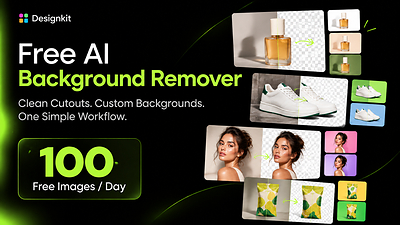
Designkit Free Background Remover Tool
The browser-based tool removes the background from a product photo, portrait, or other subject in seconds. It is designed for everyday commercial work, from preparing a new marketplace listing to adapting an established catalog for a seasonal campaign. Users can begin without installing software or creating an account.
Consistent Backgrounds Across Product Listings
Online sellers often need several versions of the same photograph. A white background may be required for a product page, while an advertisement may call for a branded color and a social post may need a transparent cutout. Producing each variation by hand can turn one usable photograph into a long series of small editing jobs.
Designkit brings those steps together. Instead of tracing an object manually, moving it into another editor, filling the background, and resizing the finished image, a seller can prepare the asset within a single browser workflow. This is particularly useful when a catalog update involves dozens of products or when campaign materials must be adapted quickly for several channels.
“A good product photograph may need to appear in many places, but businesses should not have to rebuild it for every listing, advertisement, or social post,” said Michelle Darmawan, a Designkit spokesperson. “The Free Image Background Remover was created to handle the repetitive production work—cutting out the subject, applying the right background, and preparing the correct size—so teams can spend more time deciding what they want to publish.”
Removing Image Backgrounds in One Workflow
The Designkit Free Image Background Remover carries the job beyond the first cutout. The initial cutout remains on the tool page for the next steps. The user then chooses a background and export size. Transparent cutouts and solid colors are both available, and the photograph stays in the same editor throughout. A user can:
- Isolate a product, person, or other subject automatically;
- Load as many as 15 photographs for processing in the same run;
- Keep the empty area transparent, fill it with white or black, or select another color;
- Set the dimensions for a particular destination, whether the image is headed to Amazon, Etsy, TikTok, YouTube, or another channel.
Background Removal Tools Built for E-Commerce
Businesses can use Designkit to prepare visuals for:
- Marketplace listings on Amazon, Shopify, eBay, and Etsy, including white-background images where required or appropriate;
- Product catalog refreshes and seasonal campaigns;
- AI-generated backgrounds and studio-style product imagery that make existing product photos more visually appealing;
- Promotional social videos for TikTok, Instagram, and YouTube, created by turning product images into engaging social content.
- Social creatives and platform-specific sizes;
- Ad creatives that need clean cutouts and branded solid backgrounds.
These tools help users go beyond background removal to create polished product visuals, branded marketing assets, and promotional videos within the Designkit platform.
Background Removal Across Image and Video
Ecommerce content increasingly spans both product photography and short-form video. Alongside its image background remover, the Designkit platform also offers a separate tool for existing footage. Through Designkit’s Video Background Remover, a team can also work with footage saved as MP4, MOV, or M4V. A saved clip can be uploaded directly. For a clip already posted online, the user can paste a TikTok, Instagram, YouTube, or Facebook link.
Its processing follows the subject as the video plays, clearing the background in each frame. Footage does not need to be recorded against a green screen. As the subject moves, the processing follows it without requiring a new mask to be drawn by the editor.
For a campaign using both photographs and footage, the image cutouts and short videos can be prepared within Designkit. Product demonstrations, clips featuring a presenter, and social posts can all be reused this way.
Availability
The free image background remover is available now through Designkit. Users can upload and preview images for free without signing up, with up to 100 free background removals available each day under Designkit’s current offering.
About Designkit
Designkit is an AI-powered design platform that helps businesses and creators produce product images, marketing visuals, and promotional videos for e-commerce, social media, and digital advertising. The platform enables brands to produce high-quality marketing content more efficiently – all while reducing the time and cost of traditional creative production.
